AI Agent Orchestration Platform · View 20 of 32 · 4 · Runtime
Decisions
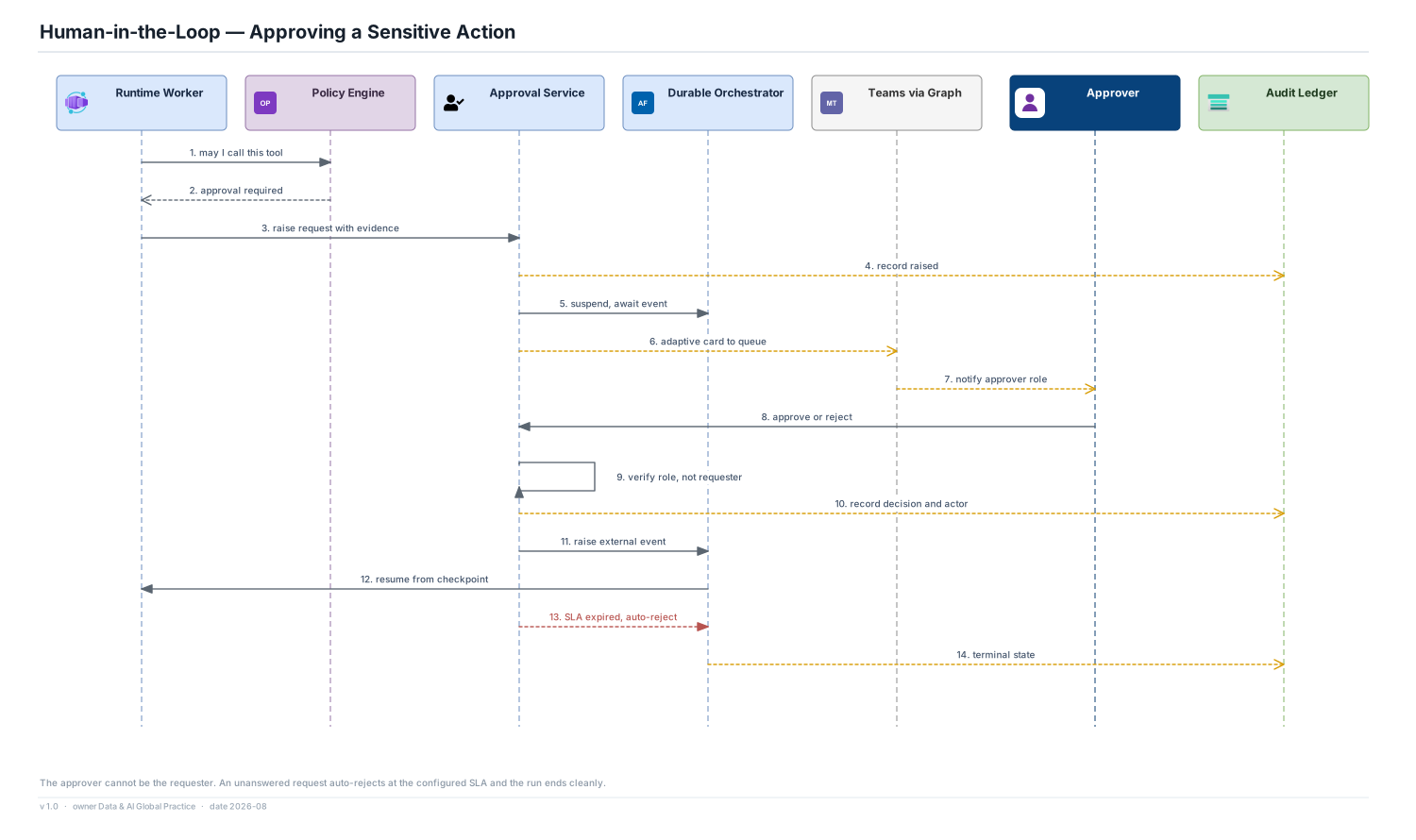
- Suspension uses the orchestrator's external-event mechanism, so a waiting run consumes no compute and can wait for days
- The approval requirement comes from policy and from the tool binding, never from the agent's own judgement
- The approver cannot be the requester, and the check is enforced by the approval service rather than trusted to process
Service levels
- Configurable SLA per approval type; the default is 4 business hours then auto-reject
- Auto-reject is a clean terminal state with a recorded reason, not a timeout exception
- Notification goes to a role-based queue, not an individual, so leave and handover do not stall a workflow
Risks
- Approval fatigue makes approvals rubber stamps; the evidence pack shown with each request is deliberately compact and specific
- Teams is a single notification channel; email and an in-console queue are required fallbacks before general availability