No-Code SaaS Automation Platform · View 18 of 21 · Operations
Why a loop
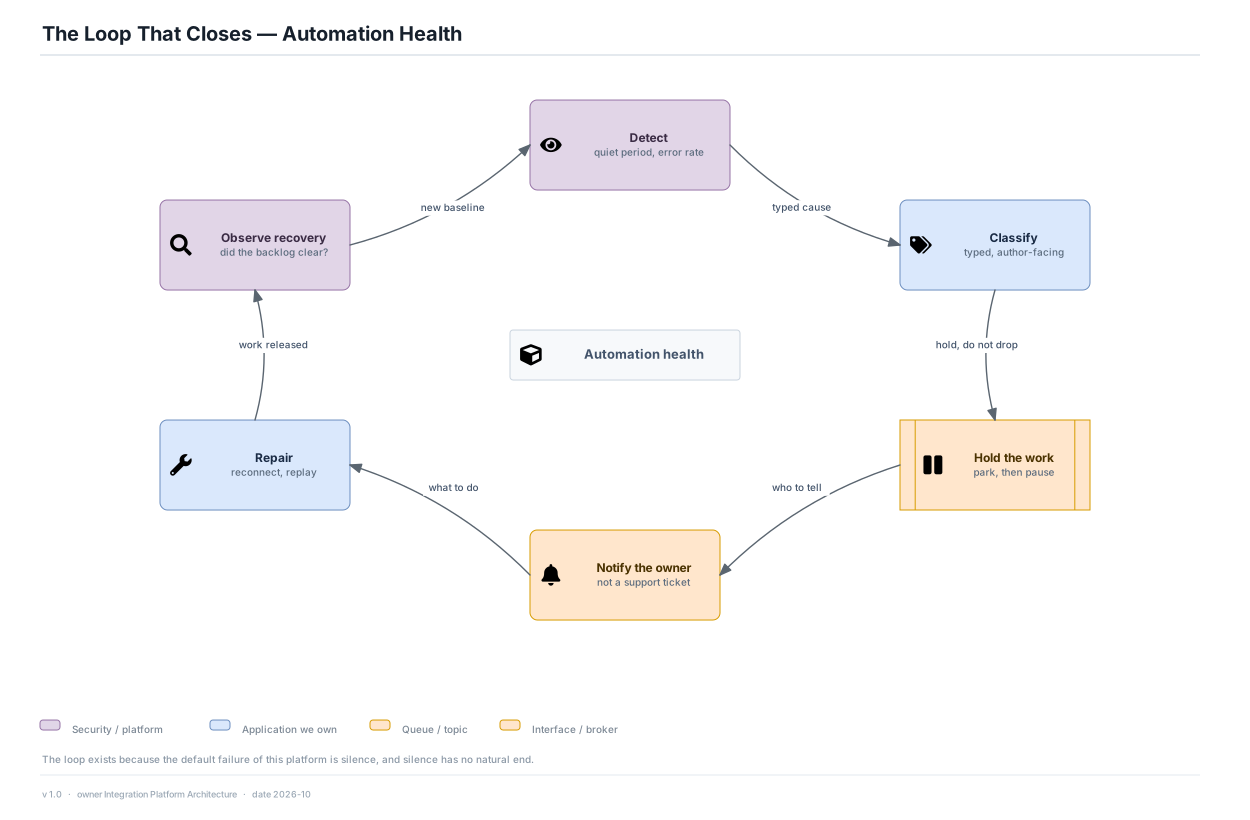
- A failure in this platform does not announce itself and does not resolve itself. Without a closing loop, a broken automation stays broken until a human in another company notices a missing row — which is exactly the journey in view 05.
- 'Hold the work' is drawn as a queue because parking rather than dropping is what makes the repair step worth taking: by the time the author reconnects, the missed work is still there.
- 'Observe recovery' closes the ring by asking whether the backlog actually cleared — the step most often skipped, which turns a notification into a ticket nobody confirms.
Assumptions
- Runaway detection throttles within 60 s of exceeding 10× an automation's 7-day baseline rate.
- 100% of accepted trigger events reach a terminal state within 7 days or appear in the repair inbox with a named cause.
Open
- How a parked backlog is released on repair — all at once, rate-limited, or only with the author's confirmation — is unresolved, and it is the practical half of Core Architecture Question 6.